RK Astral App for iOS: Installation Options and Mobile Browser Workaround
Why RK Astral May Not Appear in the App Store
iPhone users searching for "RK Astral" in the Apple App Store typically find no official native app. This situation is common across online casino platforms serving the Philippine market.
Apple enforces strict App Store policies that restrict real-money gambling applications in many regions. Even when an operator offers an Android APK for direct download, the iOS version often remains unavailable through official channels. The technical and regulatory requirements Apple imposes—including jurisdiction-specific gambling licenses, geofencing, and payment restrictions—make App Store distribution challenging for many platforms.
Rather than waiting for an App Store listing that may never arrive, RK Astral players on iPhone can access the full platform through mobile Safari or Chrome, with a convenient workaround that mimics a native app experience.
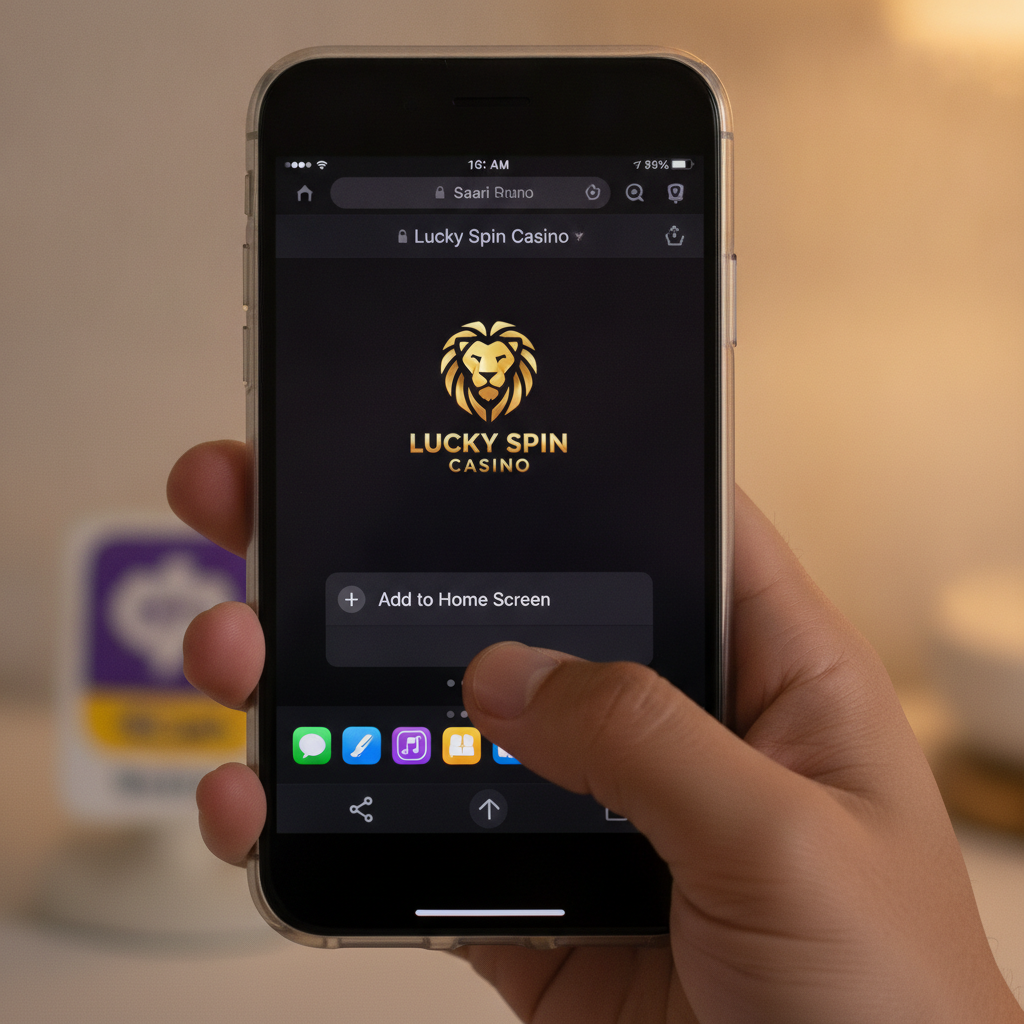
How to Add the Mobile Site to Your iPhone Home Screen as a Web App
iOS allows you to save any website as a home-screen shortcut that opens in full-screen mode, hiding the browser toolbar. This "web app" approach delivers a streamlined experience nearly identical to a native app.
Step-by-step instructions:
- Open Safari on your iPhone and navigate to the RK Astral mobile site (type the URL into the address bar).
- Log in with your existing username and password so the site recognizes your session.
- Tap the Share icon at the bottom of the Safari window—it looks like a square with an upward arrow.
- Scroll down the share menu and tap Add to Home Screen.
- Edit the shortcut name if you wish (the default will display "RK Astral" or the site title).
- Tap Add in the top-right corner.
A new icon appears on your home screen alongside your other apps. Tapping this icon launches the RK Astral mobile site in full-screen mode, without Safari's address bar or navigation buttons visible. You remain logged in as long as your session cookies are valid, so you can jump straight into slots, live dealer tables, or sports betting.
Using Chrome instead of Safari:
If you prefer Chrome, the process is similar but uses a different menu:
- Open the RK Astral site in Chrome for iOS.
- Tap the three-dot menu icon in the bottom toolbar.
- Select Add to Home Screen from the menu.
- Confirm the name and tap Add.
Both methods produce a shortcut that behaves like a standalone app, storing session data and returning you to the last page you visited.
Differences Between Native App and Browser-Based Play on iOS
While a home-screen web app offers convenience, there are practical differences compared to a true native iOS application.
Performance and load times:
Browser-based play relies on Safari's or Chrome's rendering engine. Most modern slot games and live dealer streams run smoothly, but graphic-heavy jackpot slots or multiple live tables may occasionally load slower than they would in a dedicated app optimized for iOS hardware.
Push notifications:
Native apps can send alerts about deposit confirmations, withdrawal approvals, or new promotions. A saved web app cannot trigger iOS push notifications. You will need to open the shortcut and check your account manually for updates on pending RK Astral withdrawal requests or promo announcements.
Background refresh and multitasking:
When you switch away from a web app to another iPhone app, iOS treats it as a browser tab. If memory runs low, the system may reload the page when you return, interrupting an active betting session or requiring you to log in again. Native apps handle background states more gracefully, preserving your place in a game.
Offline access:
Progressive web apps can cache some assets, but real-money casino and sports betting require a live server connection. Neither a native app nor a web app will let you place bets offline, so this difference is minimal in practice.
Auto-updates:
Browser-based play always loads the latest version of the site when you open it—no manual updates required. Native apps must be updated through the App Store, which can lag behind the operator's server-side changes.
GCash and Maya deposit flows:
Both web and native apps redirect you to the GCash or Maya app (or mobile web login) to authorize payments. The experience is nearly identical: you tap "Deposit," choose your e-wallet, enter an amount, and confirm in the separate payment app before returning to RK Astral.
For day-to-day play—checking your balance, spinning slots, placing PBA or NBA bets, and requesting an RK Astral GCash withdrawal—the home-screen web app covers every essential function.
Troubleshooting Safari or Chrome Loading Issues on iPhone
Even with a stable internet connection, iOS browsers can sometimes struggle to load casino sites or display games correctly. Here are practical fixes for the most common problems.
Clear Safari cache and cookies:
- Open the Settings app on your iPhone.
- Scroll down and tap Safari.
- Tap Clear History and Website Data.
- Confirm by tapping Clear History and Data.
This wipes stored cookies and cached files. You will need to log in to RK Astral again, but the fresh session often resolves loading errors or frozen game screens.
Disable content blockers:
Ad blockers and privacy extensions can interfere with casino game loaders or payment pop-ups. In Safari settings, scroll to Content Blockers and toggle off any active extensions, then reload the RK Astral site.
Enable JavaScript:
Casino games and live dealer tables require JavaScript. In Settings > Safari > Advanced, make sure JavaScript is toggled on.
Switch between Safari and Chrome:
If Safari consistently fails to load games or the cashier page, try Chrome for iOS (or vice versa). Some users report better performance with one browser over the other, depending on iOS version and device model.
Check iOS and browser versions:
Outdated iOS software can cause compatibility issues. Go to Settings > General > Software Update and install any available updates. Similarly, update Chrome through the App Store if you use it as your primary browser.
Restart your iPhone:
A simple reboot clears temporary glitches in network stacks and browser processes. Hold the power button (and volume button on newer models), slide to power off, wait ten seconds, then turn your iPhone back on.
Test your connection:
Open another bandwidth-heavy site—YouTube or a news portal—to confirm your Wi-Fi or mobile data is stable. If other sites load slowly, the issue lies with your internet service provider or cellular signal, not the RK Astral mobile site.
Reinstall the home-screen shortcut:
If the web app icon stops working or opens a blank page, delete the shortcut from your home screen and repeat the "Add to Home Screen" steps in Safari or Chrome. This refreshes the cached app manifest and icon.
Contact RK Astral support:
When browser troubleshooting does not resolve the problem, reach out through the site's live chat or email support. Provide your iPhone model, iOS version, and a description of the error (e.g., "Games won't load" or "Cashier page is blank"). The support team can check for server-side issues or temporary maintenance that affects mobile users.
Responsible Gambling Reminder
RK Astral is strictly for players 21 years old and above. Online betting should remain a form of entertainment, not a way to solve financial problems or recover losses.
Set a deposit limit you can afford before you start each session. Many players in Metro Manila and the provinces bet PHP 100–500 per visit; decide your own budget based on your circumstances and stick to it.
If you find yourself chasing losses, spending more time or money than planned, or feeling anxious about your betting activity, take a break. iOS Screen Time settings can help you monitor how long you spend in Safari or Chrome each day. Consider self-exclusion options or reach out to a support service if gambling stops being fun.
Remember: no strategy guarantees profit, and every bet carries risk. Play responsibly, protect your account login details, and never share your GCash or Maya PINs with anyone claiming to offer "sure win" tips.
Summary: iPhone users can access RK Astral in full by saving the mobile site as a home-screen web app through Safari or Chrome. While Apple's App Store policies keep many casino platforms out of official distribution, the browser-based workaround delivers smooth gameplay, seamless GCash and Maya deposits, and reliable access to withdrawal requests. Clear your cache, enable JavaScript, and keep iOS updated to avoid common loading issues. Always play responsibly and within your means—RK Astral is for adults 21+ only.